

Tuto : comment activer le FPS Boost sur les jeux Xbox
 Par SauroneMX338
Pour profiter pleinement de vos jeux préférés



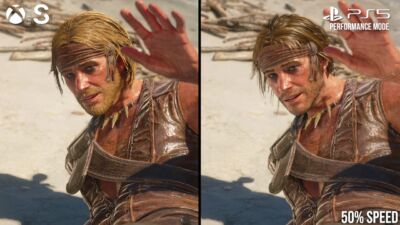
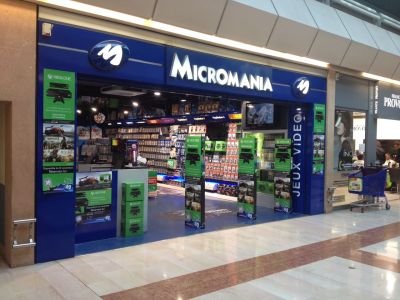
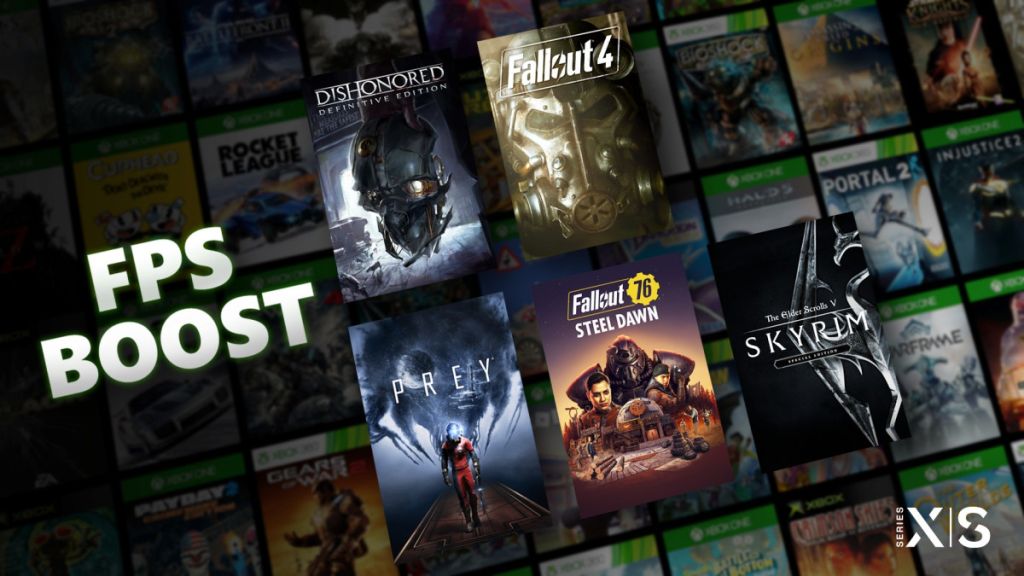
Microsoft a récemment déployé une nouvelle fonctionnalité très intéressante. Baptisée FPS Boost, cette dernière permet de doubler le framerate des jeux Xbox rétrocompatibles sans qu’aucune mise à jour du jeu ne soit requise. Les jeux en 30 FPS passent désormais en 60 FPS tandis que les titres qui étaient déjà en 60 FPS sont maintenant jouables en 120 FPS !
Pour en profiter, il faut dans un premier temps attendre que Microsoft rende le jeu compatible, mais il est également parfois nécessaire d’activer la fonction manuellement sur chaque jeu. Nous allons donc vous expliquer comment faire.
Comment activer la fonction FPS Boost sur les jeux ?
Pour activer la fonction FPS Boost sur vos jeux compatibles, vous devez suivre les étapes ci-dessous.
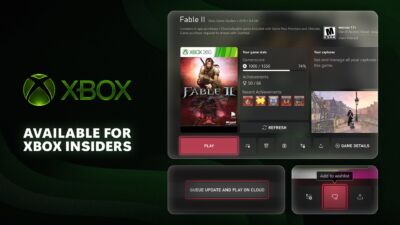
- Sur la tuile du jeu, appuyez sur le bouton “menu” et sélectionnez “gérer le jeu et les modules complémentaires”
- À gauche, cliquez sur “options de compatibilité”
- Si ce n’est pas déjà fait, cochez la case “FPS Boost”
Note : si votre jeu était déjà en cours d’exécution, vous devez le redémarrer pour que les changements soient pris en compte.
En prime, voici un tuto pour savoir comment activer et désactiver le FPS Boost. Attention, ça va vite ! ⚡️ pic.twitter.com/3rKkFQ9gZQ
— Xbox FR (@XboxFR) March 15, 2021
En prime, voici un tuto pour savoir comment activer et désactiver le FPS Boost. Attention, ça va vite ! ⚡️ pic.twitter.com/3rKkFQ9gZQ
— Xbox FR (@XboxFR) March 15, 2021Liste des jeux compatibles FPS Boost
Vous trouverez ci-dessous la liste des jeux compatibles FPS Boost. De nouveaux titres seront compatibles prochainement.
| Jeux | Xbox Series X | Xbox Series S | Désactivé par défaut sur Series X |
|---|---|---|---|
| Alien Isolation | 60 FPS | 60 FPS | Non |
| Anthem | 60 FPS | Pas disponible | Oui |
| Assassin’s Creed III Remastered | 60 FPS | 60 FPS | Oui |
| Assassin’s Creed Rogue Remastered | 60 FPS | 60 FPS | Non |
| Assassin’s Creed The Ezio Collection | 60 FPS | 60 FPS | Non |
| Assassin’s Creed Unity | 60 FPS | 60 FPS | Non |
| Battle Chasers: Nightwar | 120 FPS | 120 FPS | Non |
| Battlefield 1 | 120 FPS | Pas disponible | Oui |
| Battlefield 4 | 120 FPS | 120 FPS | Non |
| Battlefield Hardline | 120 FPS | 120 FPS | Non |
| Battlefield V | 120 FPS | Pas disponible | Oui |
| Beholder Complete Edition | 60 FPS | 60 FPS | Non |
| Dead Island Definitive Edition | 60 FPS | Pas disponible | Non |
| Dead Island: Riptide Definitive Edition | 60 FPS | Pas disponible | Non |
| Deus Ex Mankind Divided | 60 FPS | 60 FPS | Non |
| DiRT 4 | 120 FPS | Pas disponible | Non |
| Dishonored – Definitive Edition | 60 FPS | 60 FPS | Non |
| Dishonored: Death of the Outsider | 60 FPS | 60 FPS | Oui |
| Don’t Starve: Giant Edition | 120 FPS | 120 FPS | Non |
| Dragon Age: Inquisition | 60 FPS | 60 FPS | Non |
| Dungeon Defenders II | 60 FPS | 60 FPS | Non |
| Dying Light | 60 FPS | Pas disponible | Non |
| Fallout 4 | 60 FPS | 60 FPS | Oui |
| Fallout 76 | 60 FPS | 60 FPS | Oui |
| Far Cry 4 | 60 FPS | 60 FPS | Non |
| Far Cry 5 | 60 FPS | 60 FPS | Oui |
| Far Cry New Dawn | 60 FPS | 60 FPS | Oui |
| Far Cry Primal | 60 FPS | 60 FPS | Non |
| Gears of War 4 | 60 FPS | 60 FPS | Oui |
| Golf with your Friends | 120 FPS | 120 FPS | Non |
| Halo Wars 2 | 60 FPS | 60 FPS | Non |
| Halo: Spartan Assault | 120 FPS | 120 FPS | Non |
| Hollow Knight: Voidheart Edition | 120 FPS | 120 FPS | Non |
| Homefront: The Revolution | 60 FPS | 60 FPS | Oui |
| Hyperscape | 120 FPS | 120 FPS | Oui |
| Island Saver | 120 FPS | 120 FPS | Non |
| LEGO Batman 3: Beyond Gotham | 60 FPS | 60 FPS | Non |
| LEGO Jurassic World | 60 FPS | 60 FPS | Non |
| LEGO Marvel Super Heroes 2 | 60 FPS | 60 FPS | Non |
| LEGO Marvel Superheroes | 120 FPS | 60 FPS | Non |
| LEGO Marvel’s Avengers | 120 FPS | 60 FPS | Non |
| LEGO STAR WARS: The Force Awakens | 60 FPS | 60 FPS | Non |
| LEGO The Hobbit | 120 FPS | 60 FPS | Non |
| LEGO The Incredibles | 60 FPS | 60 FPS | Non |
| LEGO Worlds | 60 FPS | Pas disponible | Non |
| Life is Strange | 60 FPS | 60 FPS | Non |
| Life is Strange 2 | 60 FPS | Pas disponible | Non |
| Lords of the Fallen | 60 FPS | 60 FPS | Non |
| Mad Max | 120 FPS | 60 FPS | Non |
| Metro 2033 Redux | 120 FPS | 120 FPS | Non |
| Metro: Last Light Redux | 120 FPS | 120 FPS | Non |
| Mirror’s Edge Catalyst | 120 FPS | Pas disponible | Non |
| Monster Energy Supercross 3 | 60 FPS | 60 FPS | Oui |
| MotoGP 20 | Pas disponible | 60 FPS | Non |
| Moving Out | 120 FPS | 120 FPS | Non |
| My Friend Pedro | 120 FPS | 120 FPS | Non |
| My Time at Portia | 60 FPS | 60 FPS | Non |
| New Super Lucky’s Tale | 120 FPS | 120 FPS | Non |
| Overcooked! 2 | 120 FPS | 120 FPS | Non |
| Paladins | 120 FPS | 120 FPS | Non |
| Plants vs. Zombies Garden Warfare | 120 FPS | 120 FPS | Non |
| Plants vs. Zombies Garden Warfare 2 | 120 FPS | 120 FPS | Non |
| Plants vs. Zombies: Battle for Neighborville | 120 FPS | 120 FPS | Oui |
| Power Rangers: Battle for the Grid | 120 FPS | 120 FPS | Non |
| Prey | 60 FPS | 60 FPS | Non |
| Realm Royale | 120 FPS | 120 FPS | Non |
| ReCore | 60 FPS | 60 FPS | Non |
| Sea of Solitude | 60 FPS | 60 FPS | Non |
| Shadow of the Tomb Raider Definitive Edition | 60 FPS | 60 FPS | Non |
| Shadow Warrior 2 | 60 FPS | Pas disponible | Non |
| Sleeping Dogs Definitive Edition | 60 FPS | 60 FPS | Non |
| SMITE | 120 FPS | 120 FPS | Oui |
| Sniper Elite 4 | 60 FPS | 60 FPS | Non |
| STAR WARS Battlefront | 120 FPS | 120 FPS | Non |
| STAR WARS Battlefront II | 120 FPS | Pas disponible | Oui |
| Steep | Pas disponible | 60 FPS | Non |
| Super Lucky’s Tale | 120 FPS | 120 FPS | Non |
| SUPERHOT | 120 FPS | 120 FPS | Non |
| The Elder Scrolls V: Skyrim Special Edition | 60 FPS | 60 FPS | Non |
| The Evil Within 2 | 60 FPS | 60 FPS | Oui |
| The Gardens Between | 120 FPS | 60 FPS | Non |
| The LEGO Movie 2 Videogame | 60 FPS | 60 FPS | Non |
| The LEGO Movie Videogame | 120 FPS | 120 FPS | Non |
| Titanfall | 120 FPS | Pas disponible | Non |
| Titanfall 2 | 120 FPS | 120 FPS | Oui |
| Tom Clancy’s The Division | 60 FPS | 60 FPS | Non |
| Tomb Raider: Definitive Edition | 60 FPS | 60 FPS | Non |
| Totally Reliable Delivery Service | 120 FPS | 120 FPS | Non |
| Two Point Hospital | 60 FPS | 60 FPS | Non |
| UFC 4 | 60 FPS | 60 FPS | Non |
| Unravel 2 | 120 FPS | 120 FPS | Oui |
| Unruly Heroes | 120 FPS | 120 FPS | Non |
| Untitled Goose Game | 120 FPS | 120 FPS | Non |
| Wasteland 3 | 60 FPS | 60 FPS | Oui |
| Watch Dogs 2 | 60 FPS | 60 FPS | Non |
| Watch_Dogs | 60 FPS | 60 FPS | Non |
| Yakuza 6: The Song of Life | 60 FPS | 60 FPS | Non |









0 commentaire
Dernières actualités





À ne pas manquer